Draft in RAP — OPTIMIZED Activate Action
Learn how to use the OPTIMIZED keyword on the RAP draft Activate action to avoid duplicate determination and validation execution during save.
In draft-enabled BOs, we have actions such as Edit, Resume, Discard, Activate, and Prepare. This tip focuses on the Activate action and the use of the OPTIMIZED keyword. The Activate action copies draft data to the persistent table at the time of save.
Assume your BDEF contains:
- A determination on modify / save
- A validation on save
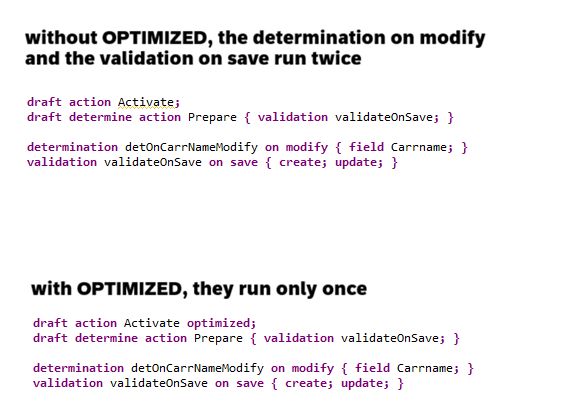
Without OPTIMIZED:
The determination on modify is executed when a field value changes and again during save, resulting in duplicate execution and performance impact. Determinations and validations on save are executed again during save, even though they were already triggered during the Prepare action.
With OPTIMIZED:
Determinations and validations already executed during Prepare are not re-executed during save.
1
2
3
4
5
6
define behavior for ZI_MyEntity
...
{
  draft action Activate optimized;
  ...
}
In this example, without optimization, one determination on modify and one validation on save run twice. By using the OPTIMIZED keyword, they run only once, resulting in improved performance.
Availability: S/4HANA 2023 onwards and in the Public Cloud.