Multi Input Field in RAP
Learn how to implement a multi-input field in ABAP RAP by assigning a composition child association field as the value in @UI.lineItem.
Have you ever encountered a scenario in RAP where you need to handle multiple inputs? It’s possible to implement a multi-input field that allows you to create and delete values in a composition child.
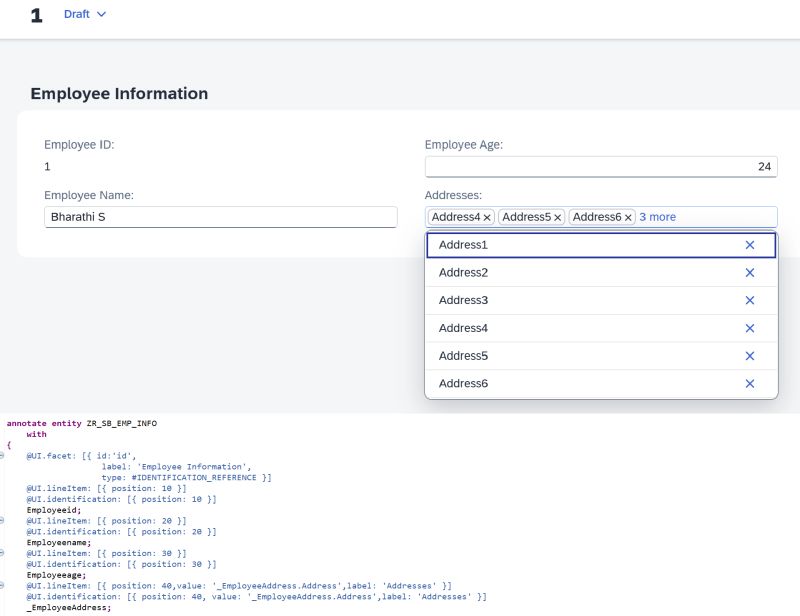
For instance, consider _EmployeeAddress as the composition child (CRUD enabled in BDEF). You can directly assign _EmployeeAddress.Address to the value parameter of the Line Item, Identification, or Field Group annotation.
@UI.lineItem: [{
  position: 10,
  value: '_EmployeeAddress.Address'
}]
element;
This renders a multi-input field in the Fiori UI where users can add or remove child entries inline.
Further Reading:
This post is licensed under CC BY 4.0 by the author.