Why Is the Draft Query View Important in ABAP RAP?
Learn why Draft Query Views are essential in ABAP RAP to ensure authorization checks apply to draft data, not just active records.
Imagine you have implemented access control for your CDS views based on an authorization object in the base/root view.
For example, User 1 has access to a particular record, while User 2 does not. Because of the access control, User 2 will not be able to see that record in the active data.
Now, User 1 starts editing the record. Since the application is draft-enabled, the changes are stored in the draft table.
Here comes the important part.
The access control that we implemented for the active data does not automatically control what is visible from the draft data.
So, User 2 might be able to see the draft record even though User 2 does not have authorization to access the corresponding active record.
This is where the Draft Query View comes into the picture.
We can create a CDS view on top of the draft table and apply the same access-control conditions that are defined for the base/root view. Then, we assign this Draft Query View to the BDEF.
With this additional authorization check, the draft data is also filtered based on the user’s authorization.
So now:
User 1 → Can see and edit the record User 2 → Cannot see the record, including its draft version
In short, access control for active data is not enough when working with draft-enabled RAP applications. Draft Query Views help ensure that the same authorization rules are also applied when querying draft data.
Sample Scenario
Let’s say you have a travel request application. The access control on the root entity restricts which records a user can see — for example, based on an authorization object. In this demo, we use a simple status filter (OverallStatus <> 'O') to simulate the same effect. In a real implementation, this would be replaced with a proper authorization check.
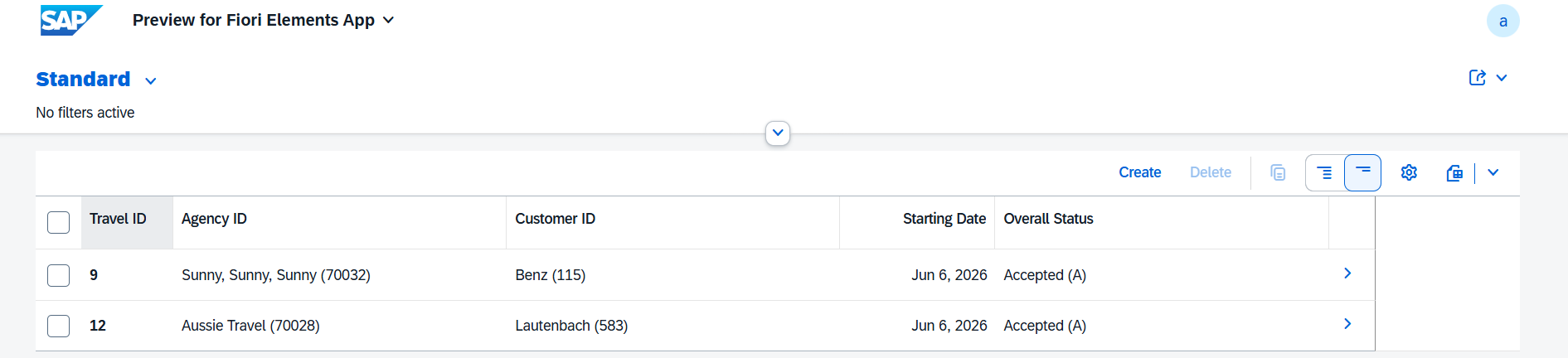
Now, a user starts editing a record. The system stores the changes in the draft table. Since the access control only covers active data, another user who is not authorized to see that record might still be able to see the draft version — because the draft table has no access control applied to it.
By creating a Draft Query View and assigning it to the BDEF using the query keyword, you can apply the same conditions to the draft data as well. The Draft Query View inherits the access conditions from the root entity using inheriting conditions from entity, ensuring consistent authorization across both active and draft data.
Before Draft Query View
1
2
3
4
5
6
7
8
@EndUserText.label: 'ZR_EntityName'

@MappingRole: true

define role ZR_EntityName {
grant select on ZR_EntityName
where OverallStatus <> 'O';
}
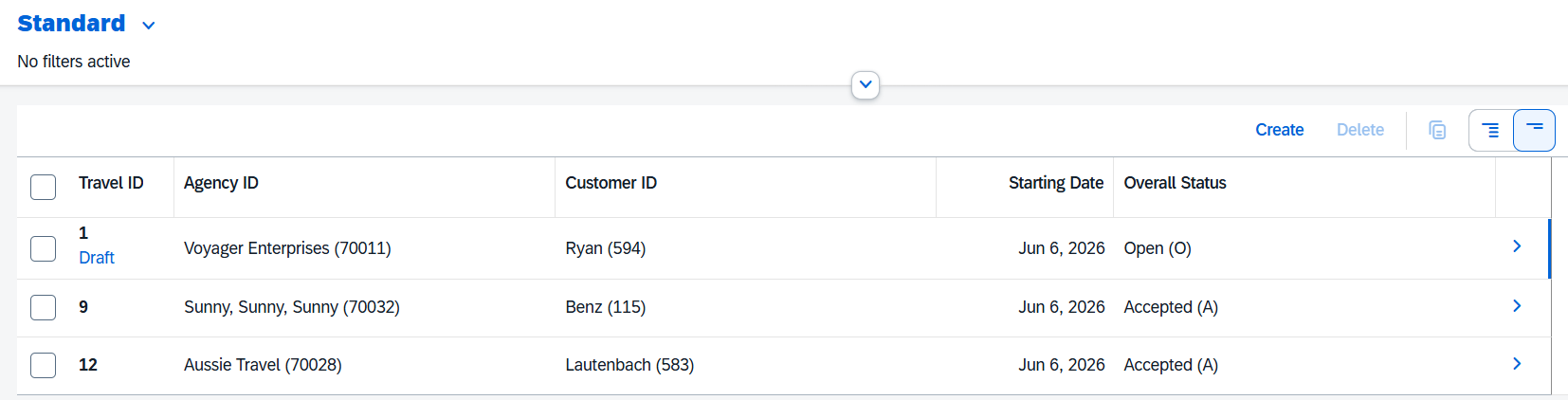
After Draft Query View
1
2
3
4
5
6
7
8
9
10
define behavior for ZR_EntityName alias ZrEntityName
persistent table ZEntityTable
extensible
draft table ZEntityDraftTable query ZR_EntityNameD
etag master LocalLastChangedAt
lock master total etag LastChangedAt
authorization master( global )
{

}
Tip: After adding the query view name in the BDEF, select the query view name and press Ctrl+1 — the quick fix will automatically generate the Draft Query View for you.
1
2
3
4
5
6
7
8
9
10
11
@EndUserText.label: 'Access Control'
@MappingRole: true
define role ZR_EntityNameD {
  grant
    select
      on
        ZR_EntityNameD
          where
            inheriting conditions from entity ZR_EntityName;

}