Access Hidden CDS Fields in UI Using requestAtLeast
Learn how to include hidden CDS fields in the API response using @UI.presentationVariant requestAtLeast while keeping them hidden in the UI.
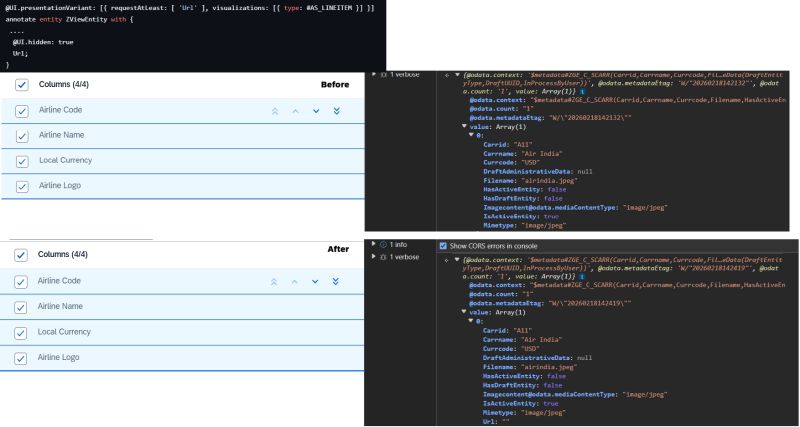
We had a scenario where a field in a CDS view was hidden using @UI.hidden: true. This removes the field from the UI entirely — even from the columns personalization — because we don’t want users to see it.
However, we had a requirement in a UI extension where we needed to access the selected record from the List Report along with this hidden field. Since the field was hidden, it was also excluded from the API response. So, how do we access a hidden field value when working from the UI?
To solve this, we can use an annotation at the entity level:
@UI.presentationVariant: [{
  requestAtLeast: ['HiddenColumn'],
  visualizations: [{ type: #AS_LINEITEM }]
}]
Here, the hidden field is included in the annotation. Before adding this annotation, the field was excluded from the API response. After adding the annotation, the field becomes available in the API while still remaining hidden in the UI.