Concurrent Actions in RAP — Disabling Lock
Learn how to disable the RAP instance lock for a specific action using lock: none to allow concurrent action execution by multiple users.
Recently, we had a scenario in RAP where an action was available on the Object Page in display mode to schedule a background job.
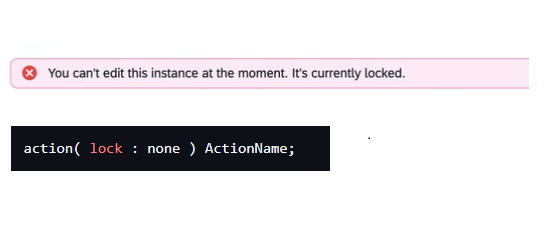
The problem was that when two users tried to trigger the action at the same time on the same instance, the first user got the lock, and the second user was unable to execute the action.
In our case, the action was not updating any data, so locking the instance was not really needed. However, by default, RAP actions acquire a lock before execution.
To solve this, we disabled the lock for that specific action. After that, multiple users were able to schedule background jobs at the same time without any lock issues.
1
action ( lock: none ) ActionName;