Display Active Annotation Values of a CDS View in ADT
Learn how to use the Active Annotations view in ADT to inspect currently active annotation values and their origin in CDS view elements.
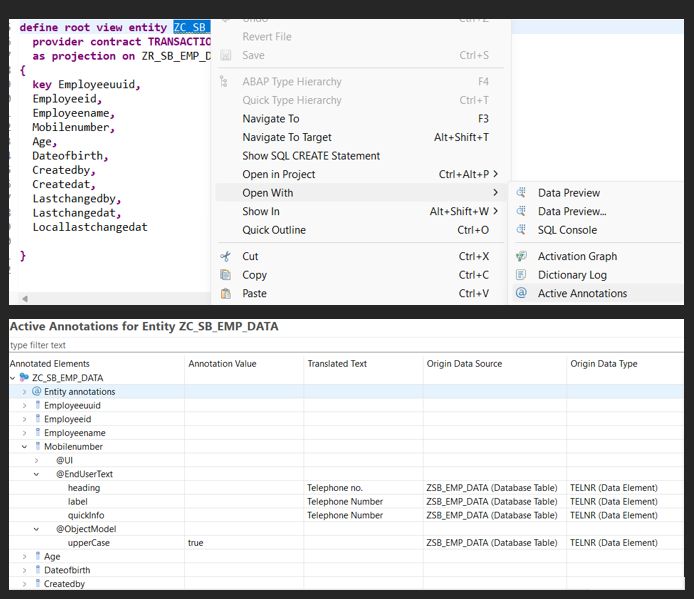
The Active Annotations view in ADT helps you understand the currently active annotation values of elements or parameters in a CDS view, along with their origin. If you’re trying to find out what annotation values (including propagated ones) are applied to a CDS element, this view provides that insight. It also shows where each annotation value originates — whether from the view itself, an underlying data source, or a data element.
Example: I noticed that the mobilenumber field was displaying the text “Telephone Number”. By using the Active Annotations view, I found that this label was inherited from the data element. Based on this, I can either update the label at the data element level (if appropriate) or override it directly in the CDS view.
You can right-click the relevant data source origin and select “Open Origin Data Source”, or simply double-click the source name to navigate directly.