Use Conversion Exits Directly at Element Level in CDS
Learn how to apply conversion exits like ALPHA directly at the CDS element level using the @AbapCatalog.typeSpec.conversionExit annotation.
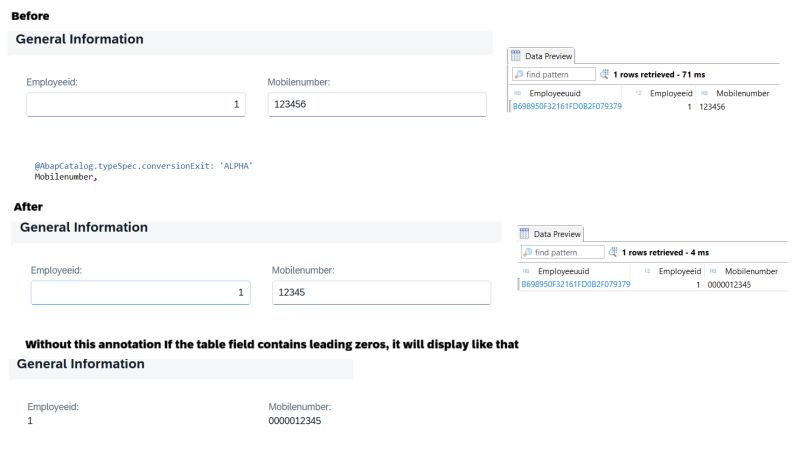
We often face scenarios where a user enters an ID without leading zeros, but the system needs to store it with leading zeros while still displaying it without them. Usually, we achieve this using a domain with a conversion exit (like VBELN), then assign that domain to the data element and finally to the field.
But sometimes we work with existing data elements or predefined types (like ABAP.CHAR(10)) that don’t have conversion exits. In those cases, we usually add zeros manually using RAP determinations and trim the leading zeros in CDS.
Now it’s much simpler! With the annotation:
@AbapCatalog.typeSpec.conversionExit: 'ALPHA'
Example: Consider a table field for a 10-digit mobile number (predefined type char). With this annotation, leading zeros will be automatically added during input processing and removed during output.
define view entity ZI_MyEntity
  as select from zmy_table
{
  @AbapCatalog.typeSpec.conversionExit: 'ALPHA'
  mobile_number as MobileNumber
}
Note: Supports all available conversion exits. Available in Latest Public Cloud, Steampunk, and SAP S/4HANA 2025 Private Cloud.