Inheriting Access Conditions from a CDS View
Learn how to use #INHERITED in CDS access control to carry access conditions from a source view to a consuming view without duplication.
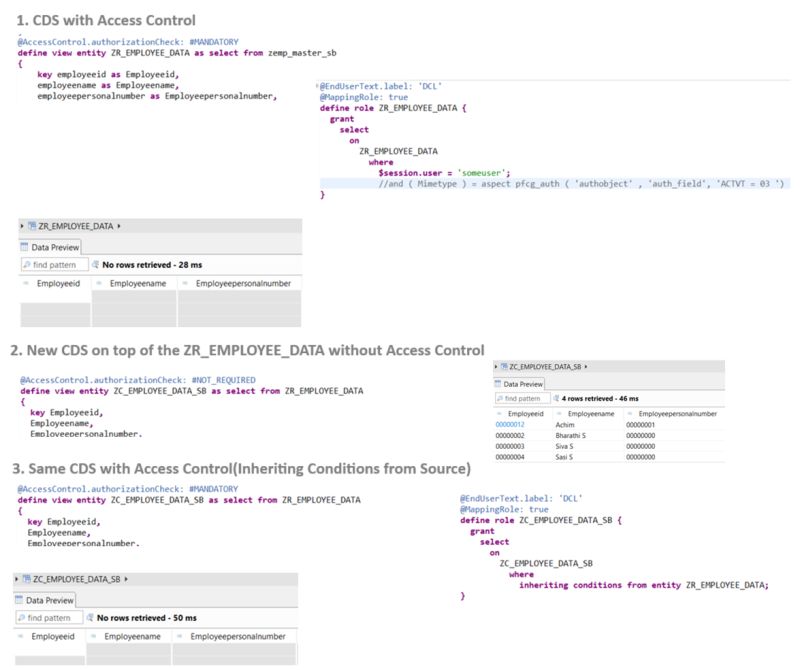
In CDS, access controls are used to define authority for accessing entries. When consuming these CDS views in other CDS views, we often bypass these checks by adding #NOT_REQUIRED or #NOT_ALLOWED. However, this can lead to issues by overriding the access control from the source CDS and potentially returning all entries.
Instead of replicating the original access conditions in the consuming CDS, it’s preferable to inherit them directly.
@AccessControl.authorizationCheck: #NOT_REQUIRED

define view entity ZC_ConsumingView
  as select from ZI_SourceView
{
  key field1,
      field2
}
With #NOT_REQUIRED, the access control from ZI_SourceView is bypassed. Instead, use #INHERITED to carry the access conditions forward:
@AccessControl.authorizationCheck: #INHERITED

define view entity ZC_ConsumingView
  as select from ZI_SourceView
{
  key field1,
      field2
}
This ensures the consuming view respects the same access conditions defined in the source CDS without duplicating them.
For more details, refer to the SAP Help documentation.