Connected Fields in CDS — Display Two Fields as One
Learn how to display two CDS fields as a single combined column using the @UI.connectedFields annotation in SAP Fiori applications.
Have you ever encountered a scenario where you need to display or edit two fields as one? Typically, we achieve this by concatenating the fields. However, you can achieve the same result using Connected Fields.
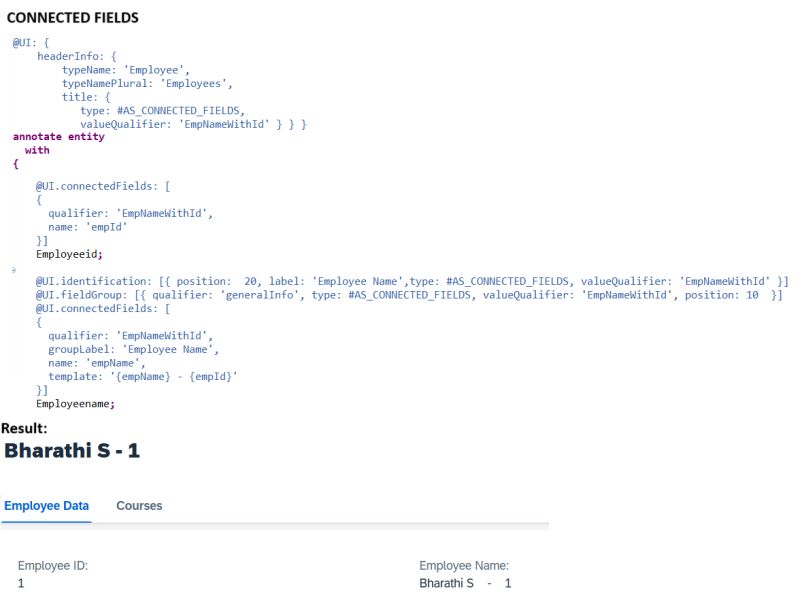
The connected field is defined using the annotation @UI.connectedFields. The template attribute is a string that specifies the order of the properties and what should appear between them, such as / or -.
Example: Display an employee’s ID and name together in a form or title.
@UI.connectedFields: [{
  qualifier: 'EmployeeInfo',
  template: '{EmployeeId} - {EmployeeName}'
}]
EmployeeId;

@UI.connectedFields: [{ qualifier: 'EmployeeInfo' }]
EmployeeName;
This renders both fields as a single combined display — e.g., E001 - John Doe — without requiring a separate concatenated field in the CDS view.