Inline Actions in Object Page Sections
Learn how to add inline RAP actions to specific Object Page sections in SAP Fiori using the @UI.fieldGroup inline: true annotation.
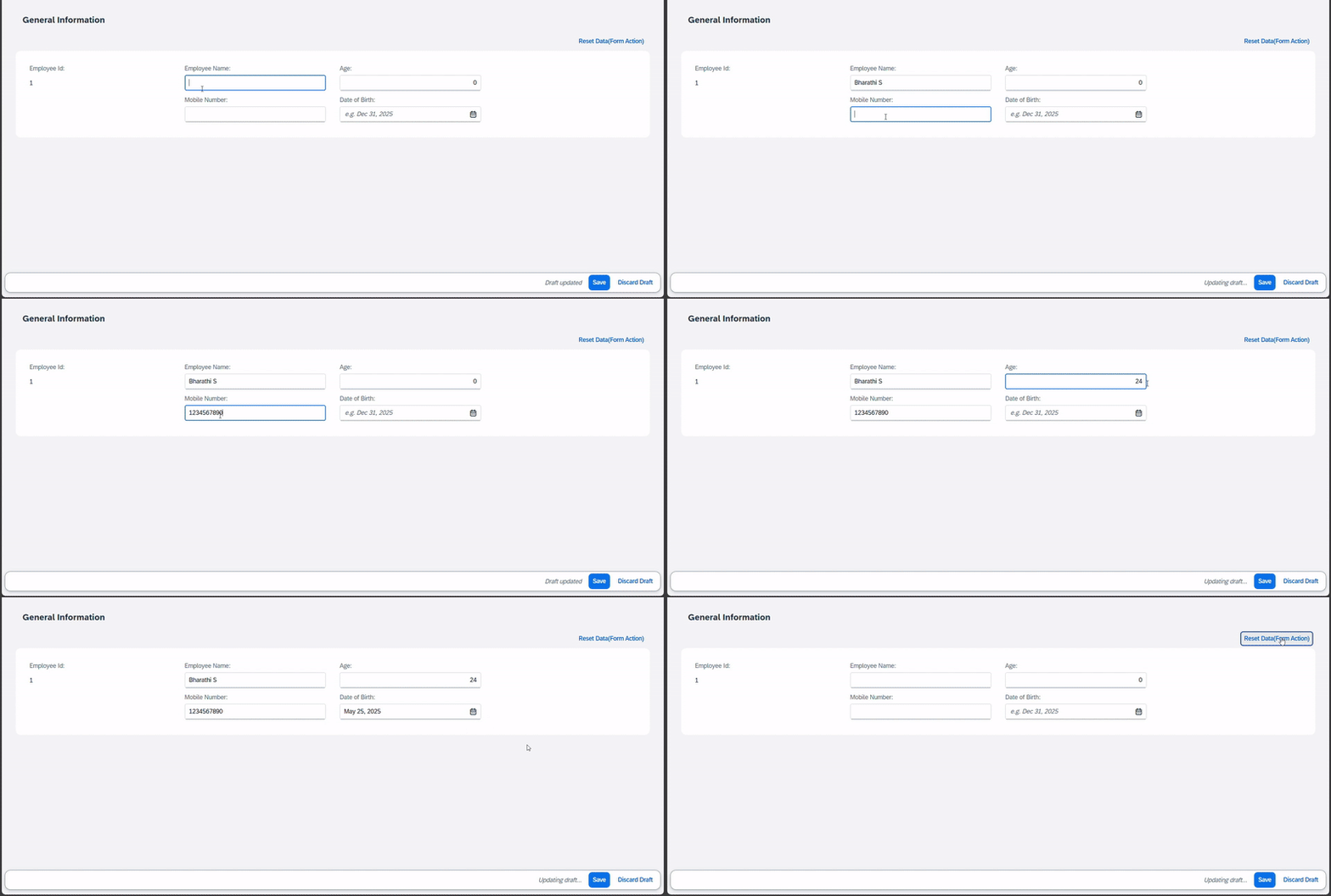
Have you ever faced a scenario where you wanted to add RAP actions specific to a section of the Object Page, not the entire page? If yes, this is for you!
You can achieve this by leveraging @UI.facet and @UI.fieldGroup annotations. It’s also possible to add inline actions using the inline: true property (available from SAP S/4HANA 2023 and in the latest public cloud versions).
Use Case: A colleague had a requirement to add a section-specific action to reset certain data. Placing the action inside the relevant section made the UX cleaner and more intuitive.
@UI.facet: [ {
  label:           'General Information',
  id:              'GeneralInfo',
  purpose:         #STANDARD,
  position:        10,
  type:            #FIELDGROUP_REFERENCE,
  targetQualifier: 'generalInfo'
} ]

@UI.fieldGroup: [{
  qualifier:    'generalInfo',
  type:         #FOR_ACTION,
  position:     10,
  dataAction:   'formAction',
  inline:       true,        // Action will be placed inside the section
  label:        'Reset Data(Form Action)',
  emphasized:   true
}]
element;
This post is licensed under CC BY 4.0 by the author.