The Usage of cl_abap_behv_aux in RAP
Learn how to use cl_abap_behv_aux in RAP to identify the calling projection and conditionally execute logic in handler classes.
I had a BDEF named R_SomeName, and on top of that, I created two projections: one for the UI (C_SomeName) and another for the API (A_SomeName).
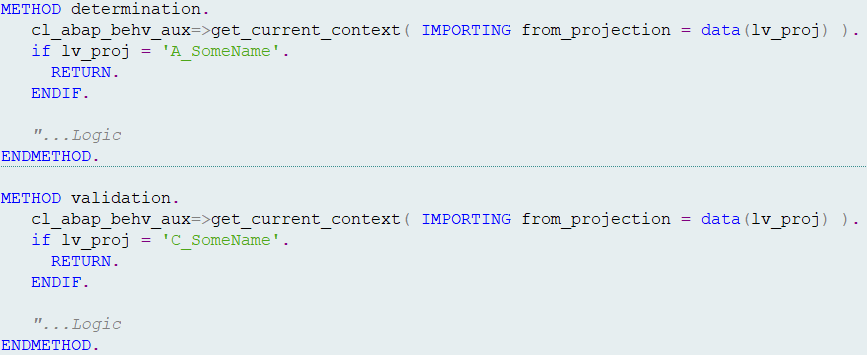
R_SomeName contains some validations and determinations, and I only wanted these to execute when the call is coming from the UI, not from the API.
So, how can we distinguish whether the call originates from the UI or the API? This is where the class cl_abap_behv_aux comes in handy:
1
2
cl_abap_behv_aux=>get_current_context(
  IMPORTING from_projection = DATA(lv_proj) ).
The lv_proj variable will hold the name of the calling projection — C_SomeName if the call is from the UI, or A_SomeName if it’s from the API. Based on this, you can conditionally execute logic in the handler class of R_SomeName.
Note: It’s also possible to create separate handler classes for each projection view. The
cl_abap_behv_auxclass provides several useful methods that can be extremely helpful in specific scenarios. For more details, refer to the ABAP Released Classes Cheat Sheet.